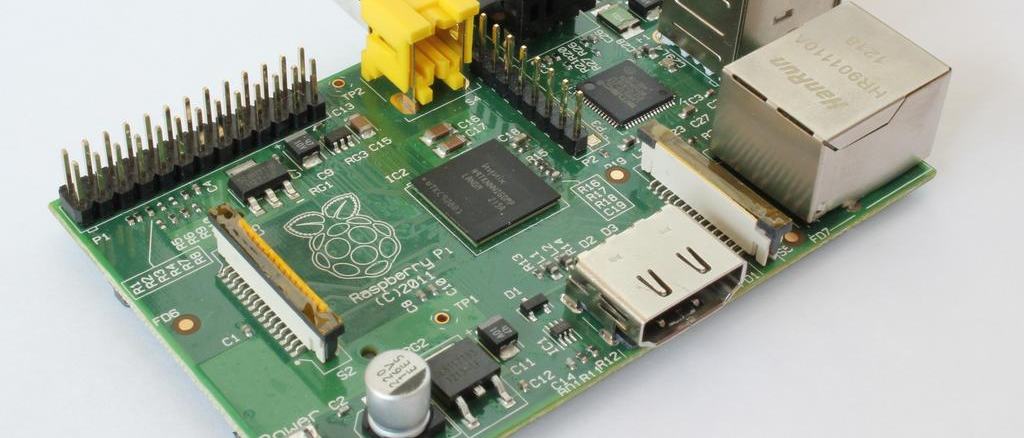
eibd and Raspberry Pi
Raspberry Pi works really well as a KNX controller, programmed e.g. in Python. To do anything you need a working EIBD somewhere on the network, and the Pi is a great fit to host that daemon.
Raspberry Pi works really well as a KNX controller, programmed e.g. in Python. To do anything you need a working EIBD somewhere on the network. The Pi is an excellent fit for hosting that daemon — I suggest following the steps from http://ekblad.org/knx/pi.html, which describe installing EIBD on Linux.
Below is the short version, or you can use the great script from http://michlstechblog.info/blog/raspberry-pi-eibknx-ip-gateway-or-router-with-the-pi/ to download directly on the Raspberry Pi after running sudo su. Grab it with:
sudo su
 wget http://michlstechblog.info/blog/download/shell_scripts/install_eibd.sh
Available options to pass when running install_eibd.sh:
- –enable-ft12 FT1.2 support
- –enable-pei16 BCU1 support
- –enable-tpuarts TPUART support
- –enable-eibnetip EIBnet/IP router support
- –enable-eibnetiptunnel EIBnet/IP tunnelling support
- –enable-usb USB-KNX adapter support
- –enable-eibnetipserver EIBnet/IP server support
Run the install:
chmod a+x install_eibd.sh
./install_eibd.sh --enable-usb --enable-tpuarts --enable-eibnetip --enable-eibnetipserver
Manual install (no script):
- grab the latest pthsem from http://sourceforge.net/projects/bcusdk/files/pthsem/
- grab the latest bcusdk from http://sourceforge.net/projects/bcusdk/files/bcusdk
- in your target directory on the Pi, unpack: tar xvfz pthsem_2.0.8.tar.gz
- then run:
- cd pthsem-2.0.8
- ./configure
- make
- sudo make install
- go back to where bcusdk is, e.g. cd ..
- then run:
- tar xvfz bcusdk_0.0.5.tar.gz
- export LD_LIBRARY_PATH=/usr/local/lib
- ./configure --with-pth=yes --without-pth-test --enable-onlyeibd --enable-eibnetip --enable-eibnetiptunnel --enable-eibnetipserver
- make
- sudo make install
EIBD needs /usr/local/lib added to the dynamic library search path; do that with e.g.:
- echo "/usr/local/lib" | sudo tee -a /etc/ld.so.conf.d/bcusdk.conf
- sudo ldconfig
Then test it:
sudo route add 224.0.23.12 dev eth0
sudo touch /var/log/eibd.log
sudo chown $USER /var/log/eibd.log
/usr/local/bin/eibd -D -S -T -i --eibaddr=0.0.1 --daemon=/var/log/eibd.log --no-tunnel-client-queuing ipt:192.168.10.10
/usr/local/bin/groupsocketlisten ip:127.0.0.1
Where 192.168.10.10 is the address of the KNX-IP router. Let's see if traffic is visible on the KNX bus:
/usr/local/bin/groupsocketlisten ip:127.0.0.1We can also fire a packet to turn on a light at address 1/0/4:
groupswrite ip:127.0.0.1 1/0/4 1Or turn the light off (assuming an actuator or dimmer is wired to 1/0/4):
groupswrite ip:127.0.0.1 1/0/4 0EIBD also works with USB-KNX adapters — so you can build a KNX-IP router much cheaper than commercial offerings.